

Prisme
The wallpaper picker, on Super + W.
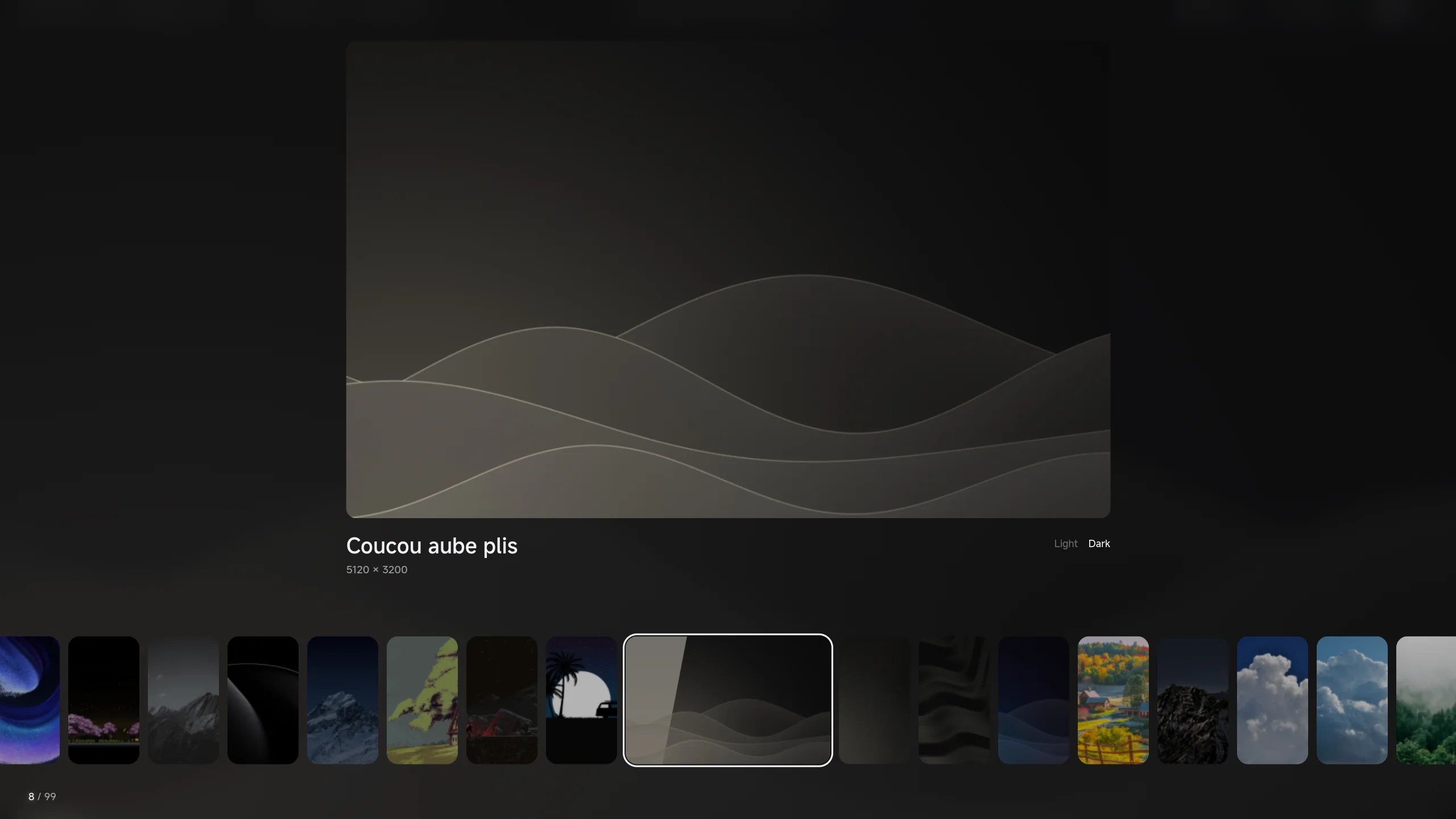
The selected wallpaper shows as a live preview, in the middle of the blurred desktop.
| Key | Does |
|---|---|
← →, h l |
Previous or next wallpaper |
Enter, Space |
Sets it |
Esc, q |
Closes, and keeps the current one |
C |
Previews the other version of a light and dark pair |
Tab |
Switches between one wallpaper and a slideshow |
↓, j |
In a slideshow, adds the wallpaper |
↑, k |
In a slideshow, removes it |
To change them, edit ~/.config/prisme/keymap.conf: one line per action, several keys separated by commas.
Light and dark pairs
Section titled “Light and dark pairs”A wallpaper that comes in light and dark is one card. It shows the version for the current mode, and the desktop switches version with the mode. To make a pair, see wallpapers.
Settings
Section titled “Settings”In ~/.config/prisme/:
| File | Sets |
|---|---|
wallpapers.conf |
The folder Prisme shows. One path. ~/Images/Wallpapers when empty |
wallpapers-extra.conf |
User folders to add to it. See wallpapers |
wallpaper-safe-mode.conf |
The wallpapers never to crop. See wallpapers |
keymap.conf |
The keys |
style.css |
Colours and sizes |