

Balise
Wi-Fi, Bluetooth, Ethernet and screen settings, in a drawer of the bar.
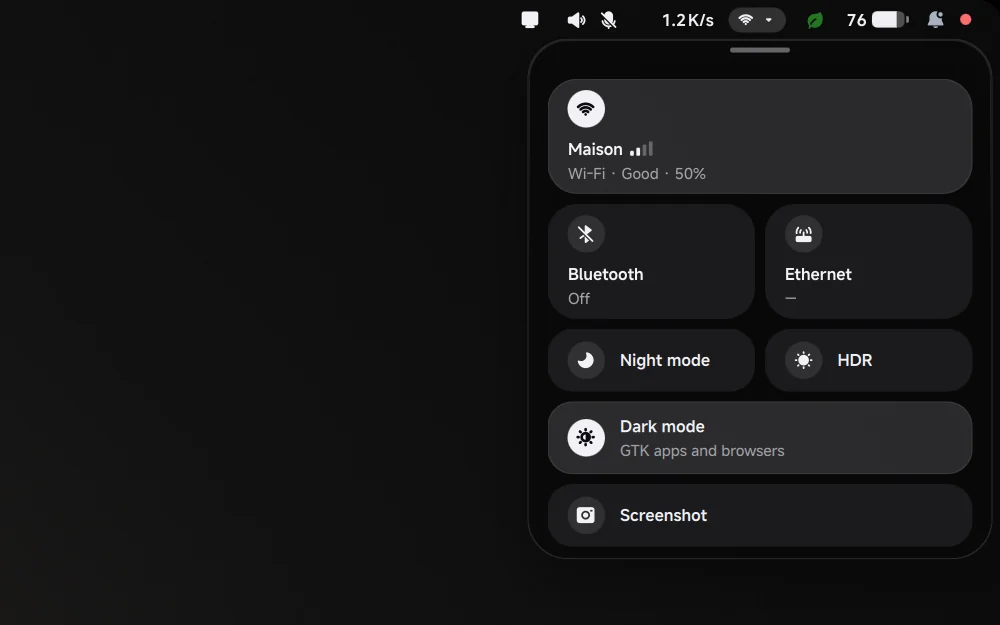
Open it
Section titled “Open it”Click the network icon, in the right-hand group of the bar. From a key or a script:
qs -c bar ipc call bar toggleBaliseIn the drawer
Section titled “In the drawer”| Tile | Does |
|---|---|
| Wi-Fi | Lists the networks in range. Pick one to join it |
| Bluetooth | Lists the paired devices and the ones nearby |
| Ethernet | Shows the wired connection |
| Brightness | The slider on the right |
| Night mode | Warms the colours. Also on Super + N. See displays |
| HDR | Turns HDR on or off for the screen the drawer is on. See displays |
| Dark mode | Switches the shell, GTK apps and browsers between light and dark. A light and dark wallpaper follows |
| Screenshot | Takes one. See Screenshot |
A setting that needs administrator rights asks for the password, on Sésame’s card.
Share a Wi-Fi network
Section titled “Share a Wi-Fi network”A saved network, as a QR code in the terminal:
balise wifi-share <ssid>Limits
Section titled “Limits”Balise doesn’t manage VPNs.