

Notifications
Pop-ups when a notification arrives, and a centre that keeps them.
Pop-ups
Section titled “Pop-ups”
They show on the left, in the middle of the screen.
- A pop-up stays while the pointer is on it.
- Past three, the others wait underneath.
- Messages in a row from the same app and sender share one pop-up.
×closes one. It shows when the pointer is on the pop-up.
The centre
Section titled “The centre”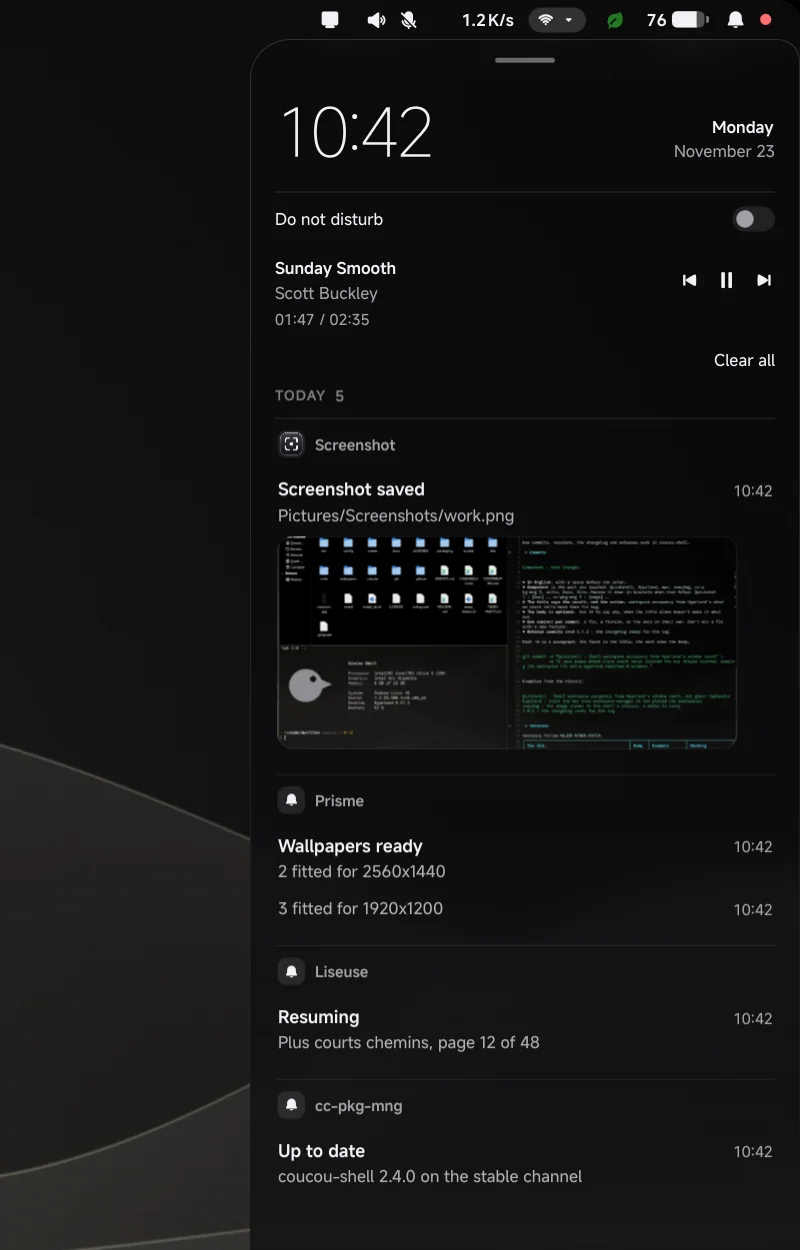
Click the bell, or press Super + I. The centre is a panel along the right edge of the screen: notifications grouped by app, under Today and Earlier, media controls, and Clear all.
Do not disturb
Section titled “Do not disturb”Right-click the bell, or use the switch in the centre. Pop-ups stop; notifications still go to the centre.
qs -c bar ipc call bar setDnd truePop-ups also keep quiet while a book is open in Liseuse and during a Programme session.